Create Your First Campaign
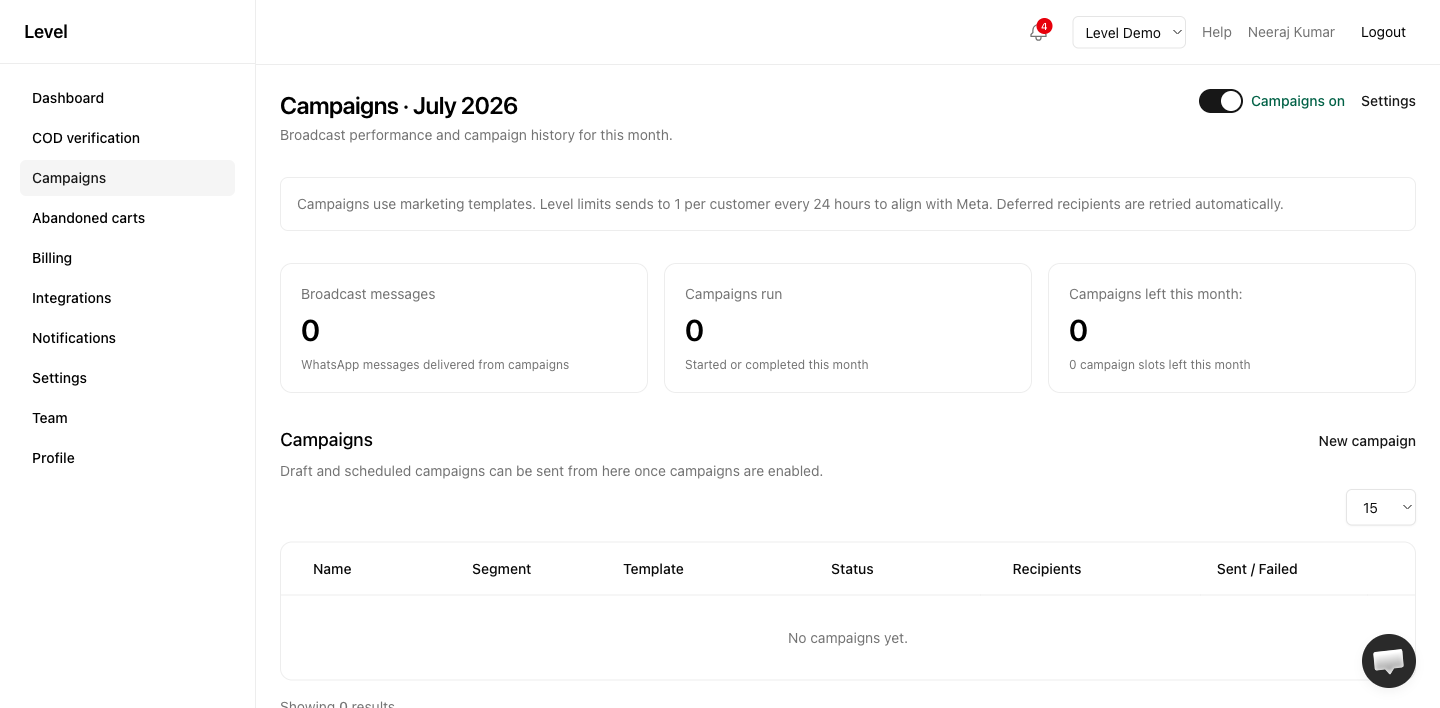
WhatsApp campaigns let you send marketing messages to customer segments — like a broadcast to verified COD customers or all customers with a phone number.
Campaigns run from your own WhatsApp number. They are not available on Free or Starter while you use Level’s shared number.
Prerequisites
- Pro or Agency plan with your WhatsApp connected (BYO setup)
- WhatsApp campaigns enabled in Campaign settings
- At least one approved marketing template on your connected number, assigned in Message flows
If you’re still on the shared number, Level shows an upgrade message on the Campaigns page instead of create/send controls.
Steps
1. Enable campaigns
Open Campaign settings and turn on WhatsApp campaigns.
2. Create a campaign
- Go to Campaign settings → enter a Name
- Select a Segment (e.g. All customers with phone)
- Choose an approved Template and language
- Optionally set a Schedule for later, or leave blank for draft
- Click Save campaign
3. Review recipient count
The settings page shows a live preview of how many recipients match your segment.
4. Send
Go to Campaigns and click Send now on your draft campaign.
5. Monitor results
Watch sent, failed, and deferred counts on the campaign detail page.
Campaign statuses
| Status | Meaning |
|---|---|
| Draft | Saved, not yet sent |
| Scheduled | Will send at the scheduled time |
| Sending | Currently delivering messages |
| Completed | All messages processed |
| Failed | Campaign-level failure |
Tips
- Start with a small segment to test delivery
- Ensure your template includes “Reply STOP to unsubscribe”
- Check plan limits before creating multiple campaigns
Related
Last updated on