COD Verification Settings
The COD settings page controls verification messaging, rule-based automation, and plan-gated follow-ups.
Open COD verification → Settings in app.uselevel.ai .
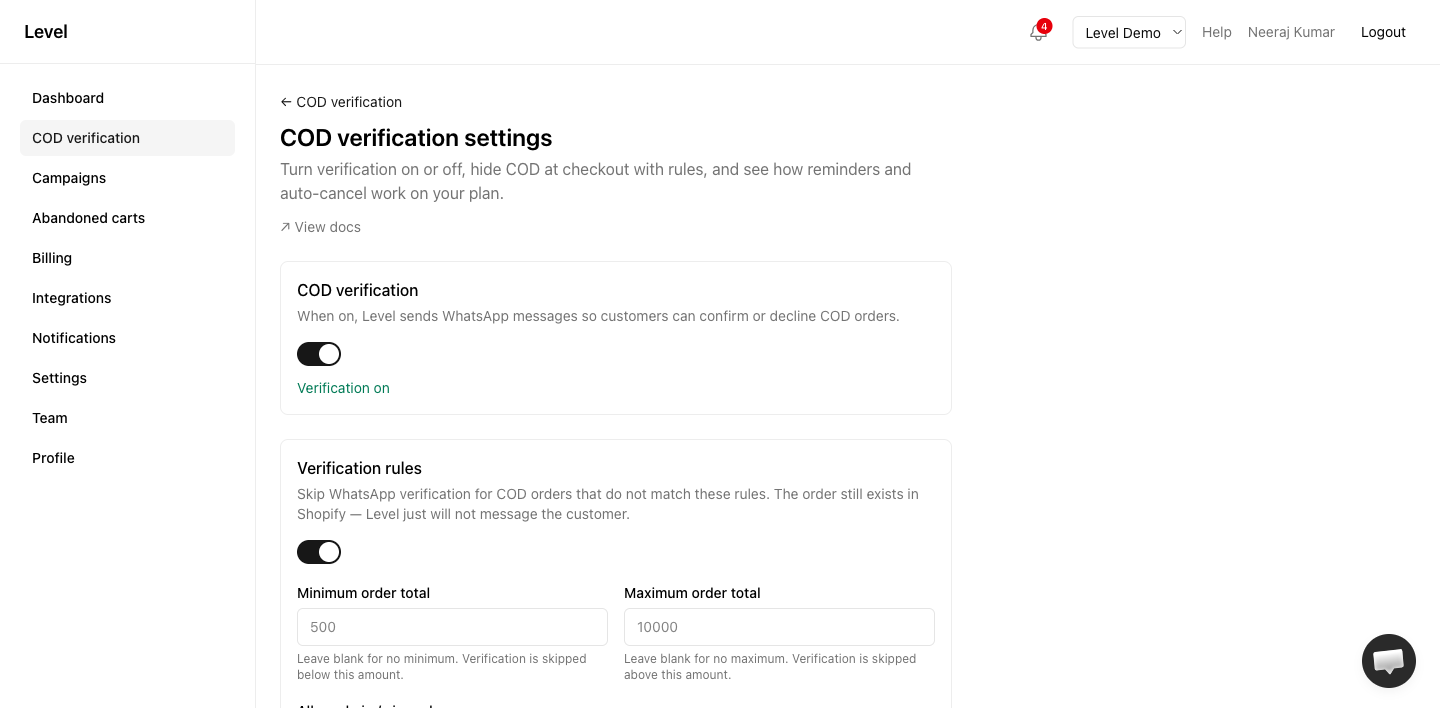
COD verification (master toggle)
When on, Level sends WhatsApp messages so customers can confirm or decline COD orders.
When off, orders still sync from Shopify but no verification messages are sent. Use this for maintenance or if you only want checkout rules without post-order messaging.
Toggle from the settings page or the main COD verification list.
Rule-based automation
Level offers two separate rule systems:
| Feature | When it runs | What it does |
|---|---|---|
| Verification skip rules | After the order is placed | Skips WhatsApp for matching COD orders |
| COD availability at checkout | At Shopify checkout | Hides the COD payment option for matching carts |
| Risk & blocklists | Checkout and after the order | Blocks specific phones, emails, and IPs; limits repeat orders; shared risk network |
| Buy with COD button | On your product pages | One-step COD ordering with all risk checks run before the order is created |
| Convert COD to prepaid | After COD confirmation | WhatsApp discount offer → Shopify invoice → cancel COD when paid |
All of these are configured on this settings page. See each guide for the fields and examples.
Follow-up reminders
Starter, Pro, and Agency plans.
Level sends WhatsApp reminders to customers who have not responded to the first verification message.
| Setting | Default |
|---|---|
| First reminder | 24 hours after first message |
| Second reminder | 48 hours after first message |
| Max reminders | 2 |
Free plan merchants see reminders listed as plan-gated with an upgrade link.
Reminders use the COD verification reminder template if assigned in Message flows, otherwise the main verification template.
Auto-cancel unverified orders
Starter, Pro, and Agency plans.
Pending orders with no customer response are automatically cancelled 72 hours after the first verification message.
Auto-cancelled orders sync to Shopify the same way as customer-initiated cancellations — tag, note, and order cancellation.
Message templates
Reminders and auto-cancel rely on templates assigned in Integrations → Message flows. See Assign templates.
Related
- Verification skip rules
- COD availability at checkout
- How COD verification works
- Plans & entitlements
- Resend verification
Need help for COD settings?
- — live chat on this page
- Contact form — email the Level team
- Open Level app — in-app Help button for account-specific issues
- Troubleshooting guides