Verification Skip Rules
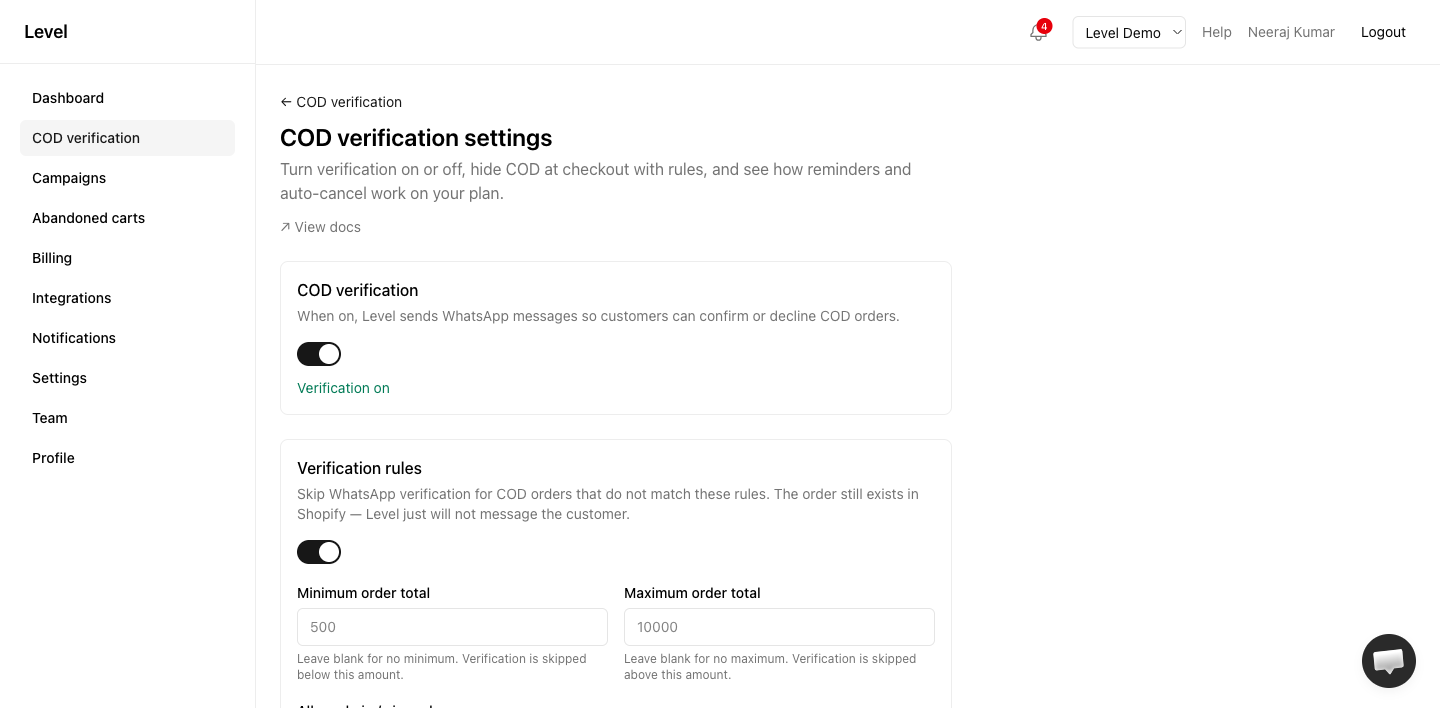
Verification rules let you choose which COD orders get a WhatsApp confirmation message. Orders that do not match your rules are still created in Shopify — Level simply does not message the customer.
This is different from COD availability at checkout, which hides the COD payment method before the order is placed.
Where to configure
Open COD verification → Settings in app.uselevel.ai .
Turn on Verification rules, set your conditions, and click Save rules.
How it works
When a COD order is created:
- Level checks whether Verification rules are enabled.
- If enabled, each rule is checked against the order total, shipping PIN/ZIP, and Shopify order tags.
- If any rule says to skip, Level does not send a verification message.
- The order still appears in your Level orders list, with a badge showing why it was skipped (for example “Below min order value” or “Pin blocked”).
Verification rules run after the order exists. They don’t change what the customer sees at checkout — for that, use COD availability at checkout.
Available rules
| Rule | Effect when matched |
|---|---|
| Minimum order total | Skip verification when the order is below this amount |
| Maximum order total | Skip verification when the order is above this amount |
| Allowed pin / zip codes | When set, only these shipping codes get verification. Orders without a zip, or with a zip not in the list, are skipped |
| Blocked pin / zip codes | Skip verification for these shipping codes (e.g. high-RTO areas) |
| Required order tags | Order must have at least one of these Shopify tags to receive verification |
| Blocked order tags | Skip verification if the order has any of these tags |
Leave a field blank to disable that rule. You can combine multiple rules — all configured rules must pass for verification to send.
PIN / ZIP matching
- Separate multiple codes with commas or spaces (e.g.
110001, 110002, 400001). - Extra spaces and letter case don’t matter.
- Level uses the shipping address code, falling back to the billing address if shipping is missing.
Order tags
- Separate multiple tags with commas (e.g.
vip, wholesale). Letter case doesn’t matter. - Required tags — verification sends only if the order has at least one listed tag.
- Blocked tags — verification is skipped if the order has any listed tag.
Example setups
High-value orders only
Verify COD only when the order is ₹500 or more:
- Minimum order total:
500 - Leave maximum blank
Orders below ₹500 are accepted in Shopify but never receive a WhatsApp message.
Block risky pincodes
Skip verification (or combine with checkout rules) for known high-RTO areas:
- Blocked pin / zip codes:
799001, 790001
Wholesale vs retail
Only verify tagged wholesale orders:
- Required order tags:
wholesale
Retail COD orders without that tag are skipped.
Plan availability
Verification skip rules are available on all plans, including Free. They only control whether Level sends a message — not whether the order is placed.
Related
- COD availability at checkout — hide COD before checkout
- COD verification settings — master toggle, reminders, auto-cancel
- How COD verification works